How to Pay Bills With a Credit Card in India

Samaun Kabir
Editor
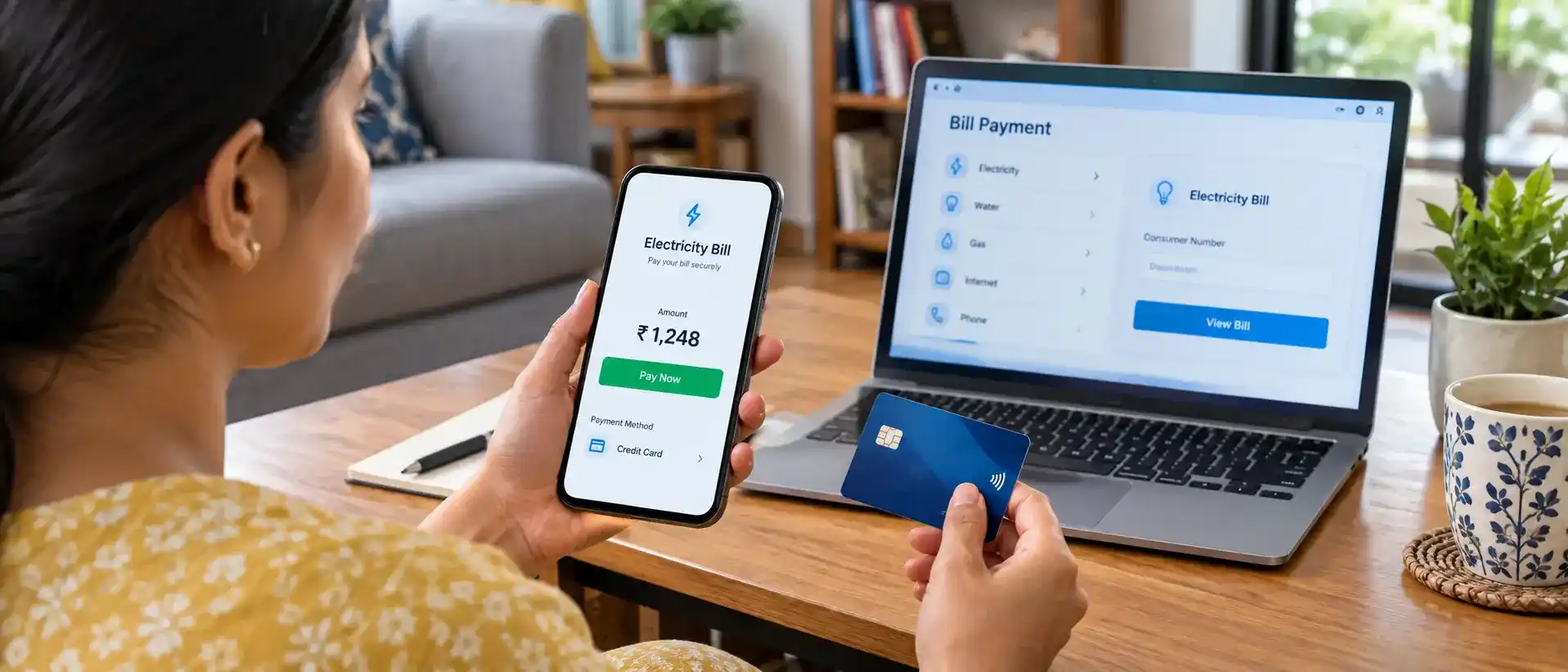
Paying bills with a credit card can make routine payments more convenient. Instead of using cash or transferring money directly from your bank account every time, you can use an eligible credit card through a biller's website or app, your bank's bill-payment service, or a supported payment platform.
Depending on the biller and payment method, you may also receive rewards or cashback. However, credit-card bill payments can involve convenience fees, and not every biller accepts every type of credit card.
Most importantly, paying a bill with a credit card does not make the expense disappear. It adds the payment to your credit-card balance, which you will need to repay according to your card's terms.
This guide explains how to pay bills with a credit card in India, which bills you may be able to pay, the available methods, possible fees, UPI options, rewards, and the precautions you should take.
Quick Answer: Can You Pay Bills With a Credit Card?
Yes, many bills can be paid with a credit card if the biller or its payment provider supports credit-card payments.
Common examples include:
Electricity bills
Water bills
Gas and LPG-related payments
Mobile bills
Broadband and internet bills
DTH and television services
Some insurance premiums
Certain subscriptions
Some government payments
Income-tax payments through supported payment gateways
The exact options vary by biller, bank, card network and payment platform. For example, HSBC's current India guide lists electricity, water, gas/LPG, mobile, internet, TV/streaming, insurance and income-tax payments among common bill categories that may be paid by credit card.
Before making a payment, check whether your biller accepts your particular card and whether a convenience or processing fee applies.
What Does Paying a Bill With a Credit Card Mean?
When you pay a utility or other eligible bill with a credit card, the biller receives the payment through the card-payment system while the amount becomes part of your credit-card account balance.
For example, suppose your electricity bill is ₹2,500. If your electricity provider accepts your credit card, you can pay the ₹2,500 through its payment page.
The ₹2,500 then appears as a transaction on your credit-card account. You will subsequently need to repay your credit-card balance according to the statement and due date.
This distinction is important:
A credit card can change how you pay a bill, but it does not reduce the amount you owe.
If you regularly carry an unpaid credit-card balance, interest and other applicable charges can make the original expense more costly.
Which Bills Can You Pay With a Credit Card?
There is no universal list that applies to every credit card and every biller. Acceptance depends on the provider and the payment channel.
However, common bill categories include:
1. Electricity Bills
Many electricity providers offer online payment facilities where customers can select a credit card as the payment method.
You may also find your electricity provider through your bank's bill-payment section or a supported payment platform.
2. Water Bills
Some municipal bodies and water-service providers accept credit-card payments through their online portals or supported payment gateways.
Check the official website of your local authority to confirm the available payment methods.
3. Gas and LPG Payments
Depending on the provider and service, gas or LPG-related payments may be available through an online payment portal or supported bill-payment service.
4. Mobile and Internet Bills
Postpaid mobile, broadband and internet bills can often be paid online using a credit card when the service provider supports card payments.
5. DTH and Streaming Services
Some DTH, television and subscription services provide credit-card payment options through their websites or apps.
6. Insurance Premiums
Some insurers accept credit cards for eligible premium payments. Always check the insurer's current payment options and applicable charges before proceeding.
7. Government Payments
Certain government payments can also support credit-card transactions.
For example, the Income Tax Department's e-Pay Tax service currently provides a Payment Gateway option that supports credit cards, debit cards, net banking and UPI. Payment-gateway charges may apply to credit-card transactions and are added over and above the tax amount.
Other government or municipal payments can have different rules, so do not assume that every government bill can be paid by credit card.
How to Pay Bills With a Credit Card Online
There are several ways to make a credit-card bill payment. The exact screens and names of options can vary between banks and providers.
Method 1: Pay Through the Biller's Website or App
This is often the most direct method.
Steps:
Visit the official website or app of your biller.
Open the Bill Payment, Pay Bill or similar section.
Enter the required customer or account information.
Check the outstanding bill amount.
Select Credit Card as the payment method, if available.
Enter the required card information on the secure payment page.
Complete the authentication requested by your card issuer or payment provider.
Confirm the transaction.
Save the payment confirmation or receipt.
For example, utility-bill guidance from HSBC describes paying through the provider's website or app by entering the relevant account information and selecting credit card where supported.
Why use the biller's website?
The main advantage is that you are paying directly through the service provider rather than adding another intermediary.
However, you should still check whether the provider adds a convenience fee.
Method 2: Use Your Bank's Bill-Payment Service
Some banks provide bill-payment facilities through their mobile banking apps or websites.
The general process is:
Open your bank's official app or website.
Go to Bill Payments or Utility Payments.
Select the relevant bill category.
Search for your biller.
Enter your customer ID, account number or other required information.
Confirm the bill amount.
Select an eligible credit card if the service allows it.
Complete the payment.
Save the confirmation.
The exact procedure depends on your bank and the biller available in its system.
Method 3: Use a Supported Bill-Payment Platform
Some payment platforms allow users to manage different types of bills from one interface.
The general process is similar:
Open the payment platform.
Select Bills, Bill Payments or the relevant category.
Choose your biller.
Enter the required account or customer details.
Verify the outstanding amount.
Select credit card as the payment method, if available.
Review any applicable fee.
Complete the transaction.
Keep the confirmation for your records.
Before using a third-party payment platform, make sure you are using the legitimate official app or website and check its current fee and refund policies.
Method 4: Use a Supported BBPS Channel
The Bharat Bill Payment System (BBPS) is another bill-payment infrastructure used for supported bill categories and channels.
If your bank or payment service provides the relevant biller and payment option, you may be able to make a bill payment through that channel.
The important point is that availability depends on the biller, category, channel and payment method supported at the time of payment.
Do not assume that every biller automatically accepts every credit card through BBPS.
How to Pay an Electricity Bill With a Credit Card
Electricity bills are one of the most common examples of credit-card bill payments.
A typical process is:
Step 1: Visit the electricity provider's official website or app
Use the official payment portal rather than an unfamiliar website.
Step 2: Enter your customer details
You may need information such as your consumer number, account number or registered mobile number.
Step 3: Check the bill
Verify the bill amount and other details before continuing.
Step 4: Select credit card
Choose credit card if it is listed among the available payment methods.
Step 5: Check the fee
Look for any convenience fee, processing charge or other applicable cost before confirming.
Step 6: Complete authentication
Follow the secure authentication process provided by your card issuer or payment gateway.
Step 7: Save the receipt
Keep the transaction confirmation until the payment is reflected correctly.
This basic process is also reflected in current guidance from banks and financial-service providers covering electricity bill payments by credit card.
Can You Pay Income Tax With a Credit Card?
Yes. The Income Tax Department currently supports credit-card payments through its Payment Gateway mode on the e-Filing portal.
The current e-Pay Tax system lists credit card, debit card, UPI and net banking as payment instruments available through the Payment Gateway option.
The general process is:
Open the official Income Tax e-Filing portal.
Access e-Pay Tax.
Enter the required tax-payment details.
Generate or select the relevant payment request.
Choose Payment Gateway.
Select an available credit-card option.
Review the amount and applicable charges.
Complete the payment through the authorised gateway.
Save the challan or payment confirmation.
Are there charges for paying income tax by credit card?
Potentially, yes.
The Income Tax Department states that payment-gateway fees or service charges are determined according to the applicable bank and gateway terms and are charged over and above the tax amount. The department also publishes payment-gateway charges for participating banks.
Therefore, always check the current fee displayed before completing a large tax payment.
Can You Pay Bills With a RuPay Credit Card Through UPI?
RuPay credit cards can be linked to supported UPI applications for eligible merchant payments.
According to NPCI, a supported RuPay credit card can be linked to a UPI ID and used to make payments to merchants by scanning eligible UPI QR codes. NPCI also states that certain transaction types, including person-to-person payments and card-to-card payments, are not permitted through this functionality.
This means you should not treat a RuPay credit card on UPI as identical to a normal bank-account UPI payment.
Whether a particular bill payment can be made this way depends on the merchant, biller, app and transaction type.
Important: Never share your UPI PIN, card PIN or OTP with another person.
Do Credit-Card Bill Payments Have Fees?
Sometimes.
The cost depends on the biller, card issuer, payment gateway and type of transaction.
Possible charges include:
Convenience fees
Payment-gateway charges
Processing fees
Other transaction-specific charges
For example, the Income Tax Department's current payment-gateway information shows that credit-card charges can vary between participating banks and payment gateways.
Therefore, before paying a bill, check:
Bill amount + applicable fee + taxes on the fee
Do not assume that a credit-card payment is free simply because the biller accepts cards.
Do You Earn Rewards for Paying Bills With a Credit Card?
You may, but it depends on the specific card and transaction.
Some credit cards provide cashback, reward points or other benefits for eligible transactions. However, reward programs can exclude certain categories or impose monthly limits.
Therefore, do not assume that every bill payment earns rewards.
Before using a credit card specifically for rewards, check your card's current:
Reward exclusions
Cashback terms
Category restrictions
Monthly or annual limits
Minimum transaction requirements
Government-payment rules
The goal should not be to earn rewards at any cost. If a convenience fee is higher than the value of the reward, the transaction may not provide a financial benefit.
What Is the Interest-Free Period on a Credit Card?
Many credit cards provide an interest-free period when the cardholder pays the full statement balance by the applicable due date.
However, the exact period depends on the card issuer, billing cycle and transaction timing. It is therefore better to avoid describing the benefit as a universal fixed number of days.
For example, some card issuers advertise a period of up to 50 days, but that does not mean every transaction receives 50 interest-free days.
Always check your card's terms and statement.
Advantages of Paying Bills With a Credit Card
Using a credit card for eligible bill payments can have several practical advantages.
Convenience
You can manage multiple payments digitally without handling cash or visiting a physical payment centre.
Centralised Records
Bill payments made through the card can appear in your card statement, making it easier to review spending in one place.
Potential Rewards
Eligible transactions may earn cashback or reward points depending on the card's terms.
Payment Flexibility
A credit card can provide a payment window between the transaction and your statement due date. This can be useful for cash-flow management when you already have a plan to repay the card balance.
Automation
Where the biller and card issuer support recurring payments or auto-debit arrangements, automation can reduce the risk of forgetting a recurring bill.
However, automatic payments should still be monitored. You need sufficient available credit and should check that the payment was processed correctly.
Disadvantages of Paying Bills With a Credit Card
Credit cards are convenient, but they are not automatically the cheapest payment method.
Convenience Fees
A biller or payment gateway may add a fee.
Interest Charges
If you do not pay your credit-card balance according to the card's terms, interest and other applicable charges may increase the cost.
Risk of Overspending
A credit card can make it easy to spend money that is not currently available in your bank account.
Credit Utilization
Large balances can increase your credit utilization. CIBIL identifies credit utilization as one of the factors used in assessing a CIBIL Score.
Not Every Biller Accepts Cards
Some providers may support only specific payment methods.
Rewards May Have Restrictions
A transaction that looks like a normal bill payment may not qualify for rewards under your card's terms.
Does Paying Bills With a Credit Card Affect Your Credit Score?
Paying a utility bill with a credit card is not the same as paying a credit-card statement.
The utility payment becomes a transaction on your credit card. What matters for your credit profile is how you subsequently manage the credit-card account.
CIBIL states that its score ranges from 300 to 900 and is calculated mainly using factors including payment history, credit utilization, age of credit and enquiries. Late or missed credit payments may negatively affect the score.
There is no universal rule saying that one particular bill payment will increase or decrease your score by a fixed number of points.
The safer approach is to:
Pay your credit-card dues on time.
Keep balances under control.
Monitor your credit utilization.
Avoid unnecessary credit applications.
Review your credit report periodically.
How to Set Up Automatic Bill Payments
If your biller and card issuer support recurring payments, you may be able to automate recurring bills.
The general process is:
Log in to your bank or biller's official platform.
Find the recurring-payment or auto-debit option.
Select the relevant bill.
Choose the eligible credit card.
Review the mandate details.
Complete the required authentication.
Confirm the arrangement.
Monitor future transactions.
Do not treat auto-debit as a reason to stop checking your statements. You should continue monitoring your available credit, transactions and payment status.
For recurring transactions, RBI's e-mandate framework includes requirements around pre-debit notifications and other controls.
What to Do if a Credit-Card Bill Payment Fails
A failed transaction does not necessarily mean that your credit card is permanently blocked.
Try these checks:
1. Check Your Available Credit
Make sure your available credit is sufficient for the transaction.
2. Check the Payment Method
The biller may temporarily have disabled credit-card payments or may not accept your particular card.
3. Check Your Card Controls
Some issuers allow users to control online, international or other transaction settings through their banking app.
4. Verify the Card Details
Check that the information entered on the legitimate payment page is correct.
5. Check Whether the Amount Was Debited
If the payment appears unsuccessful but your card has been charged, do not immediately make the same payment again.
First check the transaction status with the biller and card issuer.
6. Keep the Transaction Reference
Save the payment reference, screenshot or receipt until the issue is resolved.
7. Contact the Issuer Through an Official Channel
If the transaction continues to fail, contact your card issuer or biller through the official app, website or customer-service number.
Avoid relying on instructions from unsolicited calls, messages or social-media accounts.
Is It Safe to Pay Bills With a Credit Card?
Credit-card bill payments can be safe when you use legitimate payment channels and follow basic security practices.
Follow these precautions:
Use the official biller's website or app whenever possible.
Verify the website address before entering card information.
Avoid payment links received from unknown messages.
Never share your OTP with another person.
Never share your UPI PIN or card PIN.
Do not disclose full card details to an unsolicited caller.
Enable transaction notifications.
Review your card statement regularly.
Report suspicious transactions to your card issuer promptly.
RBI's card-tokenisation framework is designed to reduce the exposure of actual card details in certain card-on-file transactions by replacing them with a token.
However, tokenisation is not a substitute for basic account security.
Should You Pay Bills With a Credit Card?
Using a credit card for bills can be practical when:
The biller accepts your card.
The payment fee is reasonable or zero.
You understand the reward terms.
You have enough available credit.
You can repay the resulting credit-card balance on time.
It may be less suitable when:
You need to borrow simply to cover everyday expenses.
The payment carries a significant fee.
You are already carrying a large credit-card balance.
The reward value is lower than the transaction cost.
The payment could push your credit utilization unnecessarily high.
A useful rule is simple:
Use a credit card for convenience and controlled cash-flow management, not as a substitute for money you cannot afford to repay.
Credit Card Bill Payment vs. Paying Directly From Your Bank Account
The better option depends on the biller's available methods, applicable fees and your own ability to manage the resulting payment obligation.
Common Mistakes to Avoid
Assuming Every Biller Accepts Every Credit Card
Card acceptance varies. Always check before initiating payment.
Ignoring Convenience Fees
A reward may not be worthwhile if the payment fee is higher than the benefit.
Treating Credit as Extra Income
A credit-card limit is borrowed purchasing capacity, not additional income.
Paying Only the Minimum Without Understanding the Cost
Minimum-payment options can keep an account current according to the card's terms, but carrying a balance can result in interest and other charges.
Sharing OTPs or PINs
Never disclose an OTP, UPI PIN or card PIN to another person.
Repeating a Failed Payment Immediately
First determine whether the original transaction actually failed or whether the payment status is still being updated.
Final Takeaway
Paying bills with a credit card can be a convenient way to manage electricity, water, mobile, broadband, insurance and other eligible expenses. Depending on the card and transaction, you may also receive rewards or cashback.
The process is usually straightforward: choose a legitimate bill-payment channel, select your biller, verify the amount, choose credit card where supported, check any applicable fees, complete the payment securely and save the confirmation.
However, convenience should not replace responsible credit management. A bill paid with a credit card still becomes part of your credit-card balance. If you cannot comfortably repay that balance according to your card's terms, the convenience of using a credit card can become expensive.
Before every payment, check three things:
Does the biller accept my card? Is there a fee? Can I comfortably repay the resulting credit-card balance?
If the answer to all three is clear, using a credit card can be a practical option for eligible bill payments.
Editorial note: Financial products, fees, rewards, eligibility criteria and payment options can change. Readers should verify current terms with the relevant bank, card issuer, biller or government authority before making a payment.