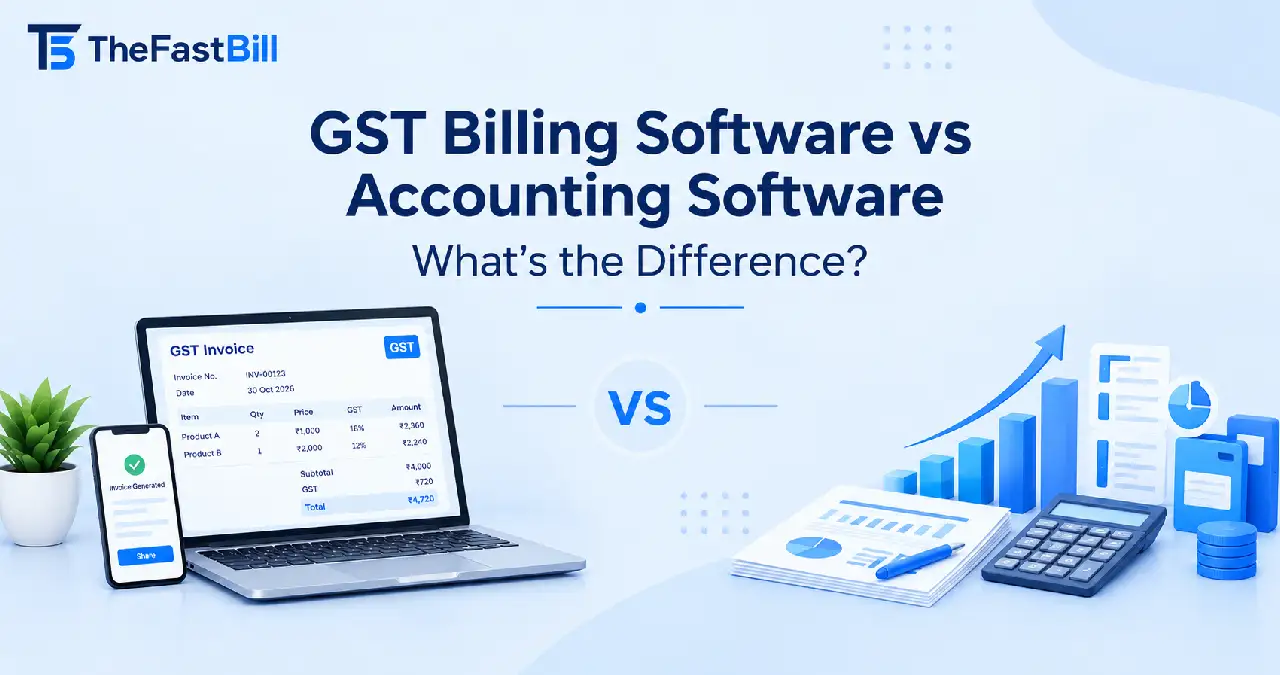
GST Billing Software vs Accounting Software: What's the Difference?

Samaun Kabir
Editor
Running a business involves more than selling products or delivering services. You also need to create invoices, record payments, manage expenses, track inventory, and maintain accurate financial records. As your business grows, handling these activities manually can become time-consuming and increase the risk of errors.
This is where business software becomes useful. Two commonly discussed solutions are GST billing software and accounting software. Although both help manage financial activities, they are designed around different operational requirements.
GST billing software primarily focuses on sales invoicing, GST calculations, customer transactions, and billing workflows. Accounting software focuses on recording and managing a business's broader financial activities, including income, expenses, assets, liabilities, and financial reports.
However, the distinction is not always absolute. Modern platforms often combine billing, inventory, bookkeeping, and accounting capabilities in one system.
So, which solution should you choose? Do you need both, or can one platform handle everything?
Let's explore the differences, features, practical applications, and important factors to consider before making your decision.
What Is GST Billing Software?
GST billing software is a business application designed to create invoices, calculate applicable Goods and Services Tax (GST), record sales transactions, and manage customer billing activities.
In India, businesses use GST billing software to prepare tax invoices with relevant details such as GSTIN, invoice number, date, HSN or SAC codes, taxable value, and applicable tax amounts.
Depending on the software, it may also support inventory management, payment tracking, purchase records, and GST-related reporting.
For example, a retailer selling electronic products can use GST billing software to select an item, enter its quantity, calculate the applicable GST, and generate an invoice without manually calculating every tax component.
Essential Features of GST Billing Software
The available features depend on the product, but common capabilities include:
1. GST invoice generation
Create professional sales invoices with business information, customer details, product descriptions, quantities, prices, and applicable GST rates.
2. Automatic GST calculations
Calculate applicable CGST, SGST, and IGST based on the nature and place of supply and the relevant GST rules.
3. HSN and SAC code management
Maintain relevant HSN codes for goods and SAC codes for services to support appropriate invoice classification.
4. Inventory management
Track product quantities, stock movements, purchase entries, and available inventory when the software includes inventory functionality.
5. Customer payment tracking
Record received payments, monitor outstanding invoices, and identify customers with pending balances.
6. Sales reports
Review sales transactions, invoice summaries, tax breakdowns, and other available business reports.
7. GST-related documentation
Depending on the platform and applicable requirements, software may support e-invoicing, e-way bill workflows, and GST return preparation or reporting.
Remember that these capabilities are not automatically included in every billing application. Always check the actual feature list before purchasing.
How GST Billing Software Helps Small Businesses
Consider a small clothing retailer that processes dozens of customer transactions every day.
Without billing software, the owner or cashier may need to calculate taxes, prepare invoices, update stock records, and maintain payment details manually.
A suitable GST billing solution can simplify these activities by automating invoice generation, applying configured tax rates, and recording sales transactions.
This helps the business maintain organized billing records and spend less time on repetitive administrative work.
What Is Accounting Software?
Accounting software is a digital system used to record, organize, monitor, and analyze a business's financial transactions.
Unlike a basic billing application, accounting software generally covers a wider range of financial activities. These include sales, purchases, expenses, accounts payable, accounts receivable, bank reconciliation, and financial reporting.
Its main purpose is to provide a structured picture of the business's financial position.
For example, a wholesale distributor may use accounting software to record customer payments, track supplier invoices, monitor operating expenses, reconcile bank transactions, and prepare financial statements.
Essential Features of Accounting Software
Here are some common accounting software capabilities.
1. Bookkeeping and ledger management
Record financial transactions through journals, ledgers, cashbooks, and other accounting records.
2. Income and expense tracking
Monitor money received and spent by the business. Categorize transactions to understand where revenue comes from and how expenses are distributed.
3. Accounts payable and receivable
Track outstanding customer invoices and amounts payable to suppliers. This helps businesses manage their working capital.
4. Bank reconciliation
Compare recorded transactions with bank statements to identify missing entries, mismatches, or unrecorded payments.
5. Financial reporting
Generate reports such as:
Profit and Loss Statement
Balance Sheet
Cash Flow Statement
Trial Balance
Accounts Receivable Report
Accounts Payable Report
6. Purchase and vendor management
Record supplier bills, purchase transactions, payment schedules, and outstanding vendor balances.
7. Payroll management
Some accounting platforms include payroll features for recording employee salaries, deductions, and payroll expenses. Statutory calculations such as PF and ESI may require specific payroll functionality.
8. Tax and compliance support
Depending on the software, accounting systems may support GST calculations, tax reports, return preparation, and other compliance-related workflows.
How Accounting Software Supports Financial Management
Imagine a wholesale distributor purchasing products from several suppliers and selling them to retailers on credit.
The business needs to know:
How much money customers owe.
How much it needs to pay suppliers.
What its monthly operating expenses are.
Whether its bank records match its accounting entries.
How much profit it generated.
What assets and liabilities it currently holds.
Accounting software helps organize these transactions and generate reports that support better financial decisions.
GST Billing Software vs Accounting Software: Key Differences
Now that you understand both systems, let's compare their primary functions.
Important: These are general functional differences, not fixed limitations. Some modern GST billing platforms offer accounting features, while accounting platforms can provide advanced invoicing and inventory management.
1. Billing and Invoicing
GST billing software is designed to make invoice creation and sales transactions easier.
Users can select products or services, enter quantities, apply discounts, calculate taxes, and generate invoices.
Accounting software can also generate invoices, but its invoicing activities are usually connected to the broader accounting workflow. An invoice may automatically affect sales records, receivables, and other accounting entries.
The difference: Dedicated billing software prioritizes the invoicing process, while accounting software connects invoicing with the business's financial records.
2. GST Compliance and Tax Management
Both software categories may support GST-related activities.
GST billing software can calculate applicable taxes and generate invoices containing required GST information. Advanced solutions may also support e-invoice and e-way bill workflows.
Accounting software can provide additional capabilities such as GST transaction summaries, tax reconciliation, and return preparation.
Under GST Rule 46, applicable tax invoices must contain prescribed information, including supplier details, invoice number, date, recipient details where required, HSN or SAC information, taxable value, and tax particulars.
You can review the requirements in the CBIC GST Invoice Rules.
It is also important to understand that an ordinary GST tax invoice and a GST e-invoice are not the same thing.
An e-invoice involves reporting applicable invoice details to an authorized Invoice Registration Portal (IRP), which generates an Invoice Reference Number (IRN) and a signed QR code.
As of October 2026, the general e-invoicing threshold is an aggregate annual turnover of ₹5 crore or more in any preceding financial year from 2017–18 onwards, subject to applicable conditions and exclusions.
Read the official e-invoicing applicability information before selecting software for your business.
Similarly, an e-way bill is a separate document associated with the movement of goods under applicable GST rules. It is not automatically required for every invoice.
3. Bookkeeping and Financial Reporting
This is one of the most important differences.
GST billing software generally records sales transactions and provides billing-related reports. Some platforms also maintain basic income, expense, or payment records.
Accounting software takes a broader approach by organizing transactions into financial accounts and generating statements that help evaluate business performance.
For example, a retailer may use billing reports to identify total sales during a month. However, calculating the business's actual profit also requires considering purchase costs, operating expenses, salaries, depreciation, and other relevant entries.
The difference: Billing reports help monitor sales activity, whereas accounting reports help understand the overall financial position of the business.
4. Inventory and Stock Management
Inventory management is not exclusive to either software category.
Many GST billing applications include stock management so that product quantities can be updated when sales and purchases are recorded.
Accounting platforms may also provide inventory tracking, stock valuation, purchase management, and inventory-related financial records.
For a business with multiple warehouses, product batches, or complex stock movements, advanced inventory functionality may be necessary.
Before purchasing, check whether the system supports the inventory operations your business actually requires.
5. Bank Reconciliation and Expense Tracking
Accounting software generally provides more comprehensive financial transaction management.
It may allow businesses to import bank statements, match transactions, categorize expenses, and identify differences between bank balances and recorded accounts.
Some billing applications provide payment records and basic expense tracking, but they may not offer full bank reconciliation.
If your business handles frequent bank transfers, supplier payments, and multiple financial accounts, proper accounting functionality becomes increasingly important.
6. Payroll and Employee Management
Payroll is another area where software capabilities differ.
A basic billing application usually focuses on sales and invoicing rather than employee salary administration.
Accounting platforms may include payroll modules or integrate with dedicated payroll systems.
If you need to calculate salaries, maintain employee records, process deductions, or manage statutory payroll requirements such as PF and ESI, verify that the selected product supports those functions.
Can GST Billing Software and Accounting Software Perform the Same Tasks?
Yes, in some cases.
Modern business applications increasingly combine billing, inventory, accounting, and tax-related features.
For example, Zoho Books offers GST invoicing, bank reconciliation, inventory management, and financial reporting. TallyPrime provides accounting, inventory, banking, payroll, and statutory compliance capabilities.
You can explore their official documentation:
These examples show why businesses should compare individual product capabilities instead of assuming that every billing application has limited functionality or that every accounting application offers the same features.
The better question is not simply which category is superior. It is whether a particular software solution can handle your operational and financial requirements.
Which Software Should You Choose for Your Business?
Your decision should depend on the nature of your business, transaction volume, reporting requirements, and future growth plans.
Let's consider a few common business scenarios.
1. For Small Retail Businesses
A small grocery shop, clothing store, electronics retailer, or local supermarket may primarily need:
Fast sales invoice generation.
GST calculations.
Product and stock management.
Customer payment records.
Daily sales reports.
Basic purchase tracking.
If these are your main requirements, GST billing software with appropriate inventory features may be sufficient.
However, if you also need complete bookkeeping, expense management, bank reconciliation, and financial statements, choose a platform that provides those capabilities or integrates with accounting software.
2. For Wholesalers and Distributors
Wholesale businesses often handle large purchase orders, bulk sales, supplier payments, customer credit, and inventory movements.
They may require:
Sales and purchase management.
Customer and supplier ledgers.
Outstanding payment tracking.
Inventory valuation.
Warehouse or location management.
Bank reconciliation.
Financial reporting.
A comprehensive accounting and inventory system may be more suitable than a basic billing application.
3. For Service-Based Businesses
Agencies, consultants, IT companies, and professional service providers often have different requirements from product-based retailers.
They may need:
GST-compliant service invoices.
Client payment tracking.
Expense management.
Project-based billing.
Retainer invoices.
Time and cost tracking.
Profitability reports.
For these businesses, accounting software with suitable project invoicing features may be sufficient. Specialized invoicing software can also be useful when the billing workflow is complex.
4. For Growing and Established Companies
As a business expands, its financial operations become more complicated.
It may need multiple users, different business locations, detailed financial reports, vendor management, payroll, inventory control, and stronger access permissions.
In this situation, an integrated accounting or ERP platform may be more appropriate.
The goal should be to select software that supports current operations without creating unnecessary limitations as the business grows.
Can You Use GST Billing and Accounting Software Together?
Absolutely.
Using both systems is a practical option when a business needs a specialized billing interface as well as comprehensive financial management.
For example, a retail business may use billing software at its sales counters and accounting software for bookkeeping, expense management, bank reconciliation, and financial reporting.
How Data Integration Works
Consider the following workflow:
Step 1: Generate sales invoices
The billing application creates GST invoices and records customer transactions.
Step 2: Update inventory
When inventory functionality is enabled, the system updates stock quantities according to recorded sales and purchases.
Step 3: Transfer transaction data
Sales, tax amounts, payment details, and customer information are transferred to the accounting system through a supported integration, API, or structured import.
Step 4: Record expenses and supplier transactions
The accounting system maintains purchase entries, supplier bills, operating expenses, and other financial transactions.
Step 5: Reconcile bank transactions
The finance team compares recorded transactions with bank statements and resolves discrepancies.
Step 6: Generate financial reports
The accounting system prepares financial statements and other reports using the recorded financial data.
This arrangement can help separate day-to-day billing operations from broader financial management.
Benefits of Using Both Systems
1. Better operational efficiency
Billing staff can focus on customer transactions, while finance teams manage accounting activities.
2. Clearer access control
Different employees can receive access based on their responsibilities, provided the software supports suitable user permissions.
3. More organized financial records
Sales transactions can flow into the accounting system, reducing the need to enter the same information repeatedly.
4. Improved business visibility
Business owners can review sales performance alongside expenses, liabilities, and financial reports.
Potential Challenges of Using Both Systems
Combining two applications also introduces some challenges.
The most important factor is integration.
Before choosing two separate applications, confirm whether they can exchange data reliably and whether the integration supports the transaction types your business uses.
Important Factors to Consider Before Choosing Software
Selecting business software is a long-term operational decision. Instead of choosing a product simply because it has many features, evaluate the following factors.
1. Understand Your Business Requirements
Start by identifying your daily activities.
Do you mainly generate sales invoices, or do you also need to manage expenses, suppliers, bank transactions, and financial reports?
Make a list of essential features before comparing products.
2. Check GST Compliance Capabilities
For Indian businesses, examine whether the software supports the applicable GST requirements.
Check for:
Correct tax calculations.
HSN and SAC code management.
GST-compliant invoice formats.
Credit and debit note workflows.
E-invoice functionality, where applicable.
E-way bill functionality, where applicable.
GST reporting and reconciliation capabilities.
Do not assume that software automatically guarantees compliance. Correct configuration, accurate transaction data, and timely filing remain important.
3. Evaluate Integration Options
If you already use accounting, inventory, payroll, or payment software, check whether the new application can integrate with those systems.
Look for supported APIs, import/export options, and synchronization capabilities.
4. Compare Pricing and Total Cost
Software pricing may depend on the number of users, features, transactions, deployment model, and subscription period.
Consider the total cost, including:
Subscription or license fees.
Additional user charges.
Integration costs.
Training and implementation.
Data migration.
Technical support.
The cheapest option is not always the most economical if it creates additional manual work.
5. Consider Security and Accessibility
Financial and customer information must be handled carefully.
Check whether the software offers appropriate access controls, data backup, secure authentication, and suitable data protection practices.
If you choose cloud-based software, also review its availability, backup procedures, and data export options.
6. Think About Future Business Growth
Your software should be capable of supporting your expected business requirements.
For example, a business that currently operates one retail outlet may eventually need multiple locations, additional employees, and more detailed financial reports.
Choosing a scalable system can reduce the need for frequent software changes.
GST Billing Software vs Accounting Software: Which Is Better?
There is no universal winner in the GST Billing Software vs Accounting Software comparison.
Both serve important business functions, but the right solution depends on what you need to manage.
Choose GST billing software when your main priorities are sales invoicing, GST calculations, customer transactions, and billing-related inventory management.
Choose accounting software when you need broader financial management, including bookkeeping, expense tracking, accounts payable and receivable, bank reconciliation, and financial statements.
If your business needs both specialized billing operations and comprehensive financial management, consider an integrated platform or two applications with reliable data synchronization.
For businesses looking for a billing and inventory-focused solution, TheFastBill provides GST billing, invoice generation, inventory management, sales reporting, and related business features. Evaluate its current feature list against your requirements before deciding whether you also need a separate accounting system.
Ultimately, the best software is not necessarily the one with the largest feature list. It is the one that supports your daily operations, maintains reliable records, and fits your business's long-term requirements.
Final takeaway: GST billing and accounting software are not competing solutions in every situation. They can complement each other or exist together in one integrated platform. Understand your business requirements first, then choose the software that provides the right combination of billing, compliance, and financial management capabilities.